Make Your Phone Case Guides
Walkthroughs for every stage of your phone case empire—from first design to viral Caseagram growth.
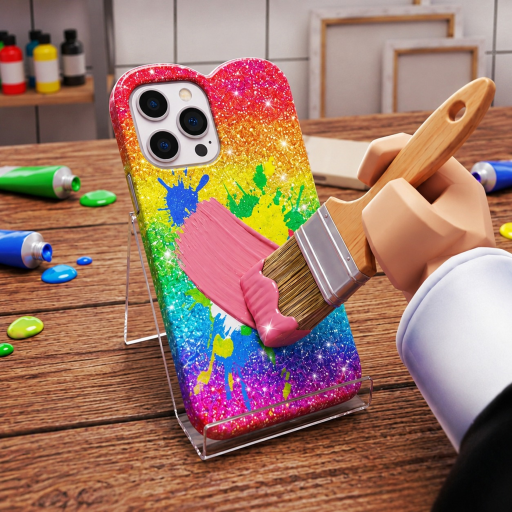
This Guides Hub is the full map of Make Your Phone Case tutorials. The game by Crafty Creations! is a creative simulation tycoon: you design phone cases, sell them in your shop, auction standout pieces online, go viral on Caseagram, hire workers, and scale a small stall into an empire. Servers hold up to six players and the experience is free-to-play on Roblox across PC, mobile, and consoles. By mid-November 2026 the experience had passed 4.2M+ visits with thousands of concurrent players at peak hours.
Use the links below in order if you are new, or jump straight to the system you want to master.
Start here
- Getting Started — first-session checklist, HUD orientation, and early goals
- Controls and HUD — PC, mobile, and console tips for precise designing and menus
- How to Design Cases — colors, stickers, themes, and customer-friendly layouts
- Sell and Auction — shop pricing plus online auction timing
- Caseagram Guide — posting, virality, and traffic back to your shop
- Hire Workers — staffing so production continues while you create
- Shop Upgrades — spending order for materials, capacity, décor, and staff
- Make Money Fast — session routes that stack cash without waiting on codes
Pair these with the Tier List Hub and Design Styles Tier List when you want ranked priorities, and the Codes Hub when promos appear.
How the core loop fits together
Make Your Phone Case rewards players who treat creativity and commerce as one system:
- Design creates inventory quality. Better cases earn higher tips, faster sales, and stronger auction bids.
- Shop sales turn steady foot traffic into reliable cash.
- Auctions spike income when you list rare or trendy designs.
- Caseagram markets your brand so more customers find the shop.
- Workers multiply throughput so you are not stuck crafting every unit alone.
Skipping any pillar slows the others. A gorgeous Caseagram feed means little if the shop is empty; a packed shop plateaus if designs never improve.
Beginner path (first two hours)
Follow Getting Started through the tutorial, skim Controls and HUD for your device, craft a few simple cases, and complete early customer orders. Unlock basic materials before chasing advanced aesthetics. Read How to Design Cases once you can place stickers and colors comfortably—then practice matching customer vibes instead of only designing for yourself.
When cash feels slow, open Make Money Fast for a tight loop: design → sell → list one auction piece → post to Caseagram → reinvest. Spend early profits with the order in Shop Upgrades.
Intermediate path (shop to brand)
Intermediate players should rotate focus every session:
- Upgrade shop presentation and pricing using Sell and Auction
- Build a recognizable Caseagram style in the Caseagram Guide
- Hire and assign roles with Hire Workers
- Revisit Best Strategies after each major update
Your goal is parallel income: workers and shop cover baseline cash while you personally handle premium designs and auction listings.
Advanced path (empire play)
Late-game value comes from specialization. Some players become trend setters on Caseagram; others dominate auction margins; others perfect worker efficiency. Use the Players Hub to find community ideas, and keep official links bookmarked on the Links Hub.
Always confirm mechanic changes after patches on the Updates Hub—balance and UI can shift quickly in a game this young (released 3 October 2026, with a notable update on 14 November 2026).
Video and learning tips
Several guides embed a real gameplay video mid-article. Watch once for layout familiarity, then play with the wiki open. Do not chase every cosmetic unlock before your economy is stable.
Related hubs
- Codes — promo status and redeem help
- Scripts — safety notes if you explore executors (use at your own risk)
- Tier List — ranked strategy priorities
- Players — Crafty Creations community
- Updates — patch timeline
Explore every guide above, then return here whenever you need the map again.
Frequently Asked Questions
Quick answers to the most common questions.
Which guide should I read first?
Start with Getting Started, then How to Design Cases. Add Sell and Auction once you can finish basic customer orders.
Is Make Your Phone Case pay-to-win?
It is free-to-play. Optional purchases may exist on Roblox, but the core loop of design, shop, auction, Caseagram, and workers works without spending.
How many players are in a server?
Servers support up to six players. You still run your own shop progression inside that shared experience.
Where do codes and scripts fit?
Codes are optional boosts tracked on the Codes Hub. Scripts are covered separately with strong safety warnings—progression guides never require them.